With Toki Gift Cards, your customers are able to write a note to the friend they are buying the gift card for. It's a great way to personalize the digital gift.
Using the Klaviyo Integration you have 2 main event triggers for this setup.
Toki Product Gift Card Delievered: This email will trigger the gift card to the recipient. And here are the event properties included:
Toki_code: This is the gift card code.
Toki_Note: The gift message
Toki_Gifted_by_name: The name of the customer that purchased the gift card.
Toki_gifted_by_email: The email of the person who purchased the gift card.
toki_amount: the gift card amount.
toki_authentication_token: Shopify token API.
Here is an example of a gift card delivered email: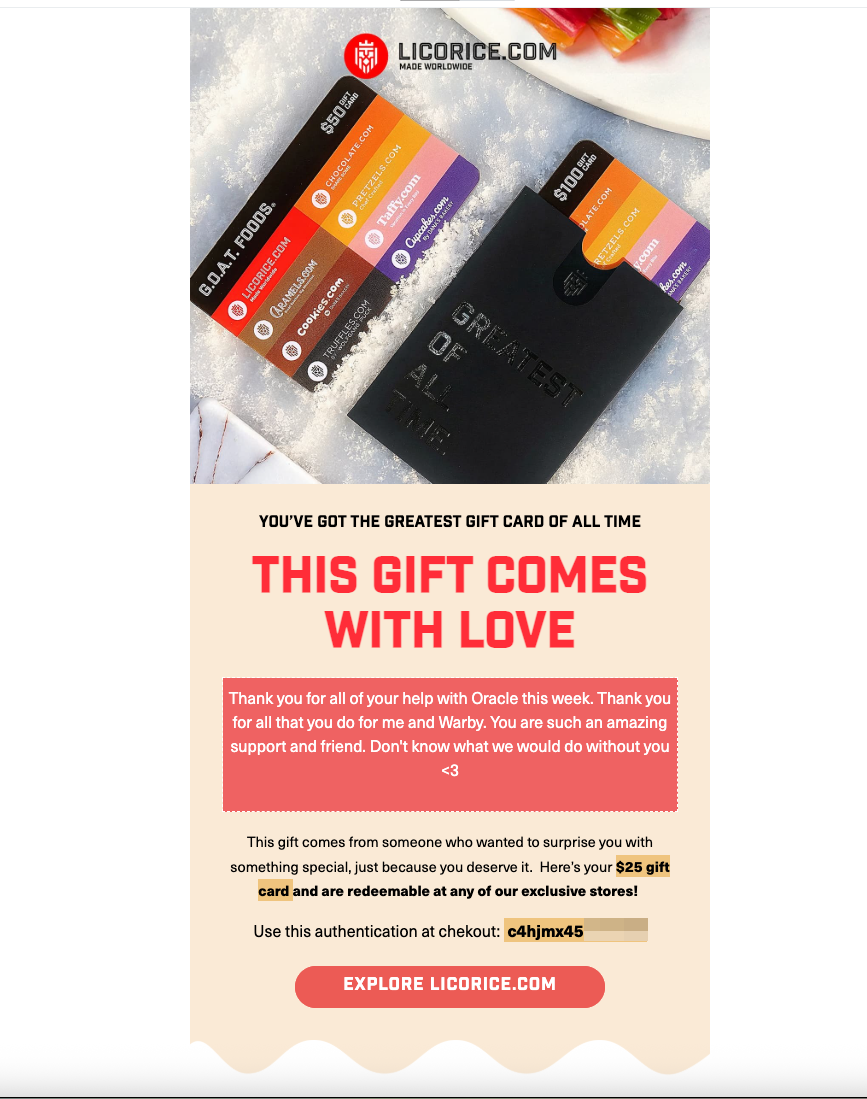
Toki Product Gift Card Gifted: This email goes to the buyer of the gift card. And these are the properties included with this event:
Toki_code: This is the gift card code.
Toki_Note: The gift message.
toki_authentication_token: Shopify token API.
Toki_gifted_to_email: email of the gift card receiver.
Toki_amount: the gift card amount.
Toki_schedule_at: the date which the customer wants the gift card to be delivered by. 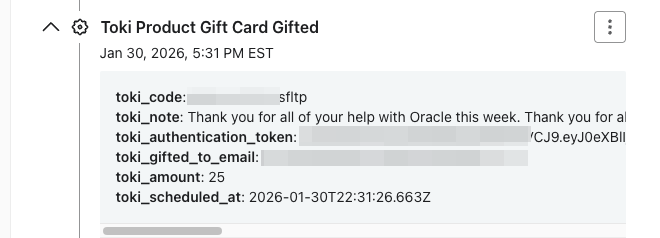
Here is an example: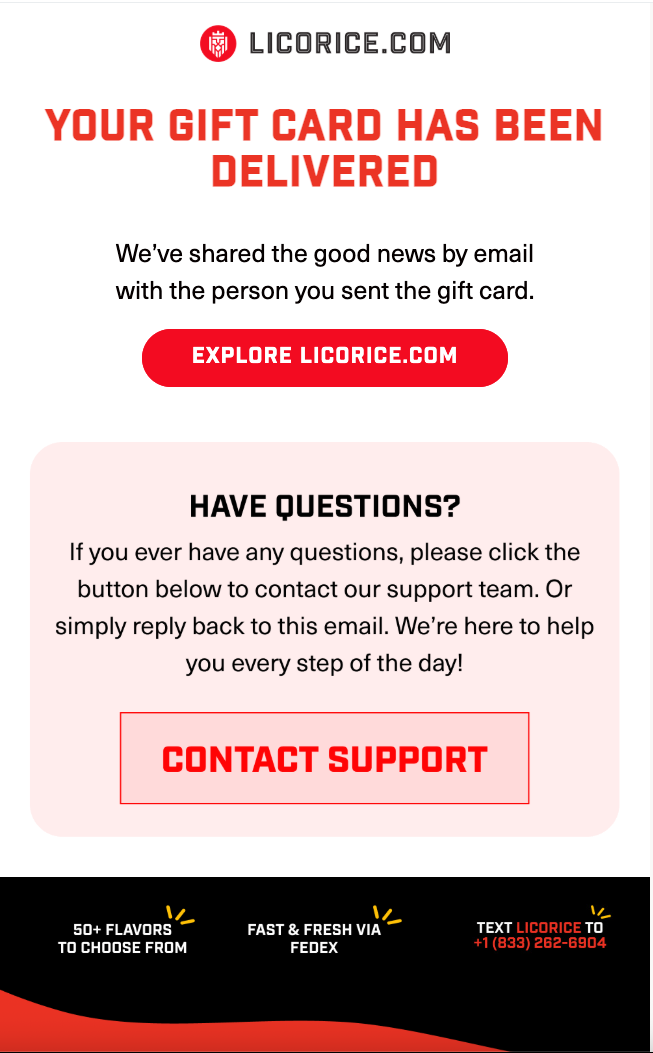
Toki Gift Card email properties
This article explains how to customize your gift card emails
Written by
Updated 8 months ago
