Toki Gift Cards is a great digital product to set up and have available on your store, especially during the holiday season.
Customers are able to purchase a gift card for themselves or send it as a gift to a family or friend. If you have other brands as a part of your business, Toki gift cards can have a shared balance across all your brands.
Example: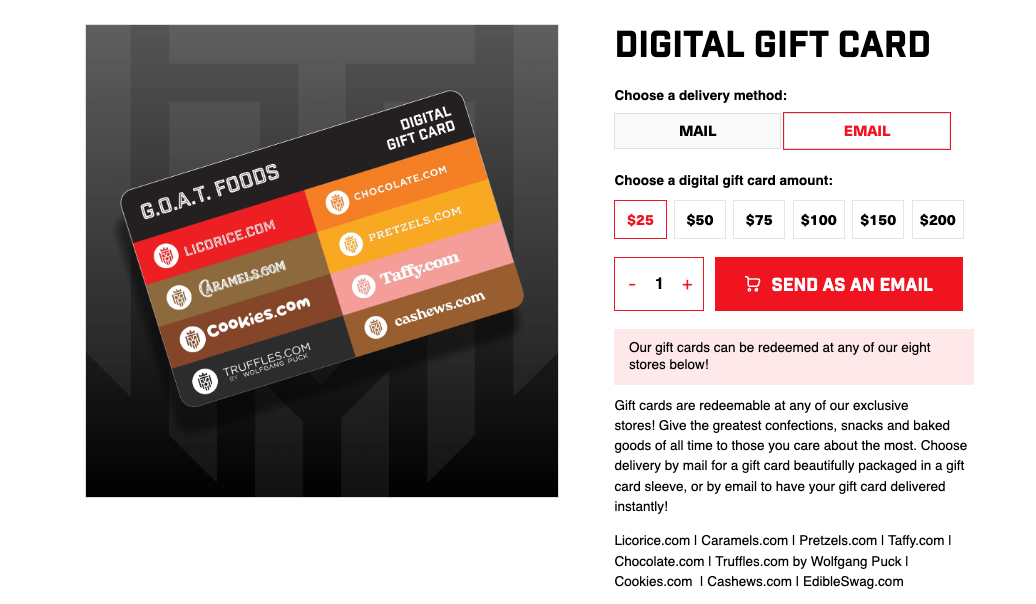
Here’s how to set it up in just a few quick steps!
1. In the Toki loyalty section, you would want to create your gift card product with the desired denominations and the usual product information. 
2. Once you have the gift card product made, the next step is to create a new product template for the gift card product with our purchase button. You can customize the look and feel of this button in our design section Gift Card Cart Button.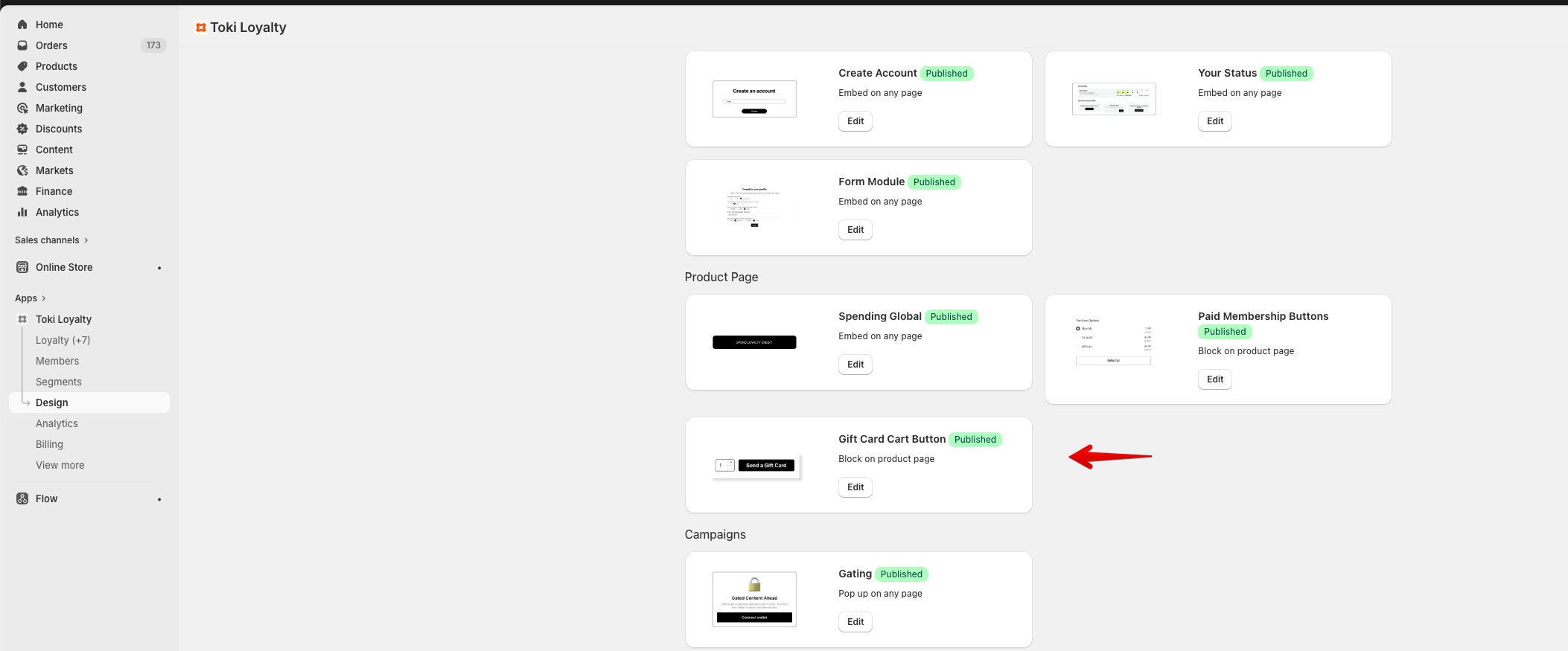
 3. When you’re ready to publish the gift card button, you can add this button to your new product template.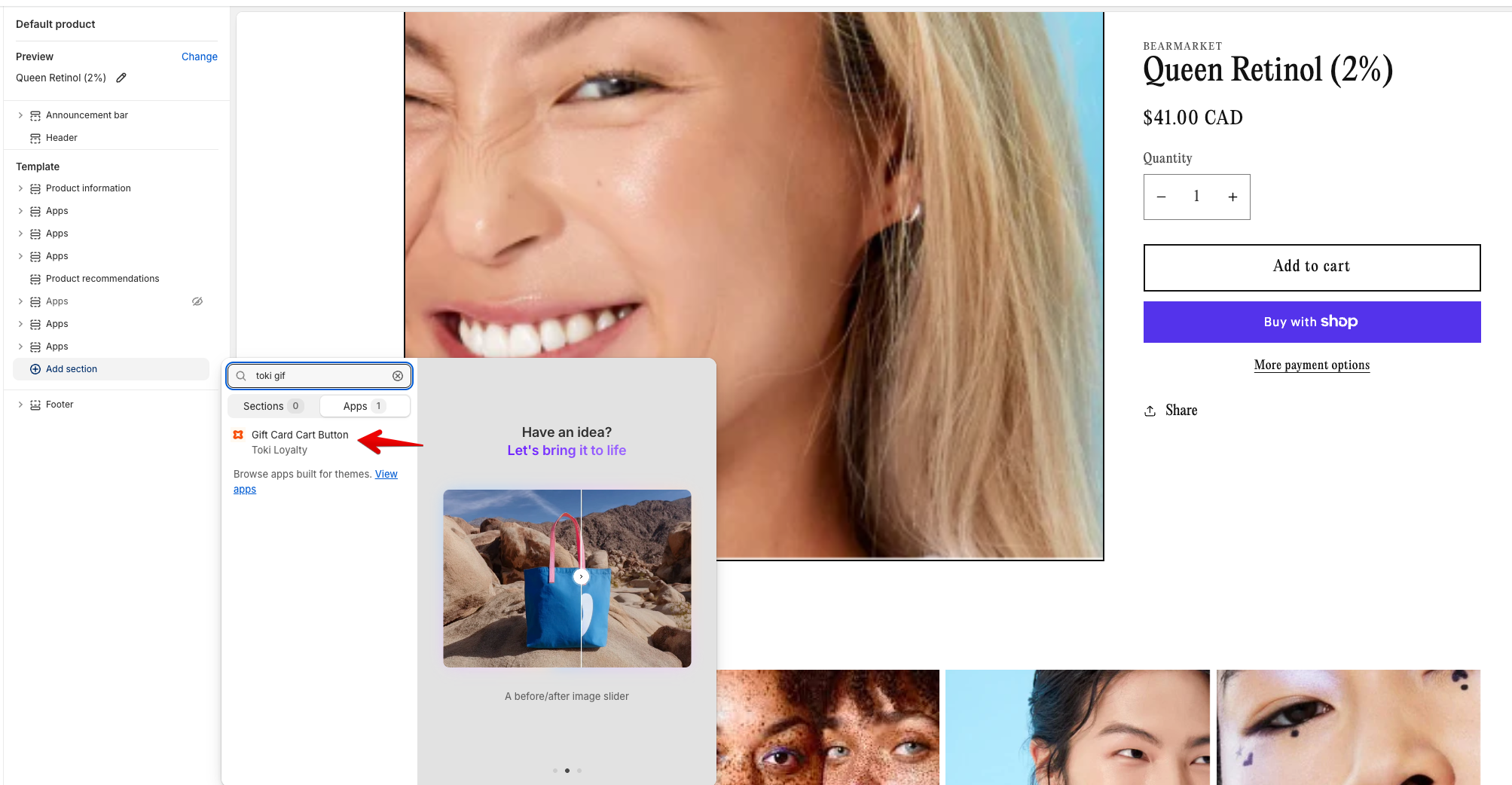
Make sure to copy and paste the design ID from Toki to carry over your design.
Introducing: Toki Gift Cards
This article explains how to set up gift cards using Toki.
Written by
Updated 8 months ago
