The wallet pass geo-location notification is a great feature to use for any merchant that has a physical presence. Whether you have a brick and mortar location, partner stores that carry your products, or running a pop-up event, this feature will come in handy!
Here's how to set it up in Toki:
1. Within the Toki app, head over to the Wallet Pass setting, and scroll to the bottom to find the Locations field.
2. Click Add Location and enter the Longitude and Latitude coordinates of your location.
3. You can find these coordinates on Google maps. Simply enter your address, and right-click the pin to get the coordinates. Latitude will always be the first value.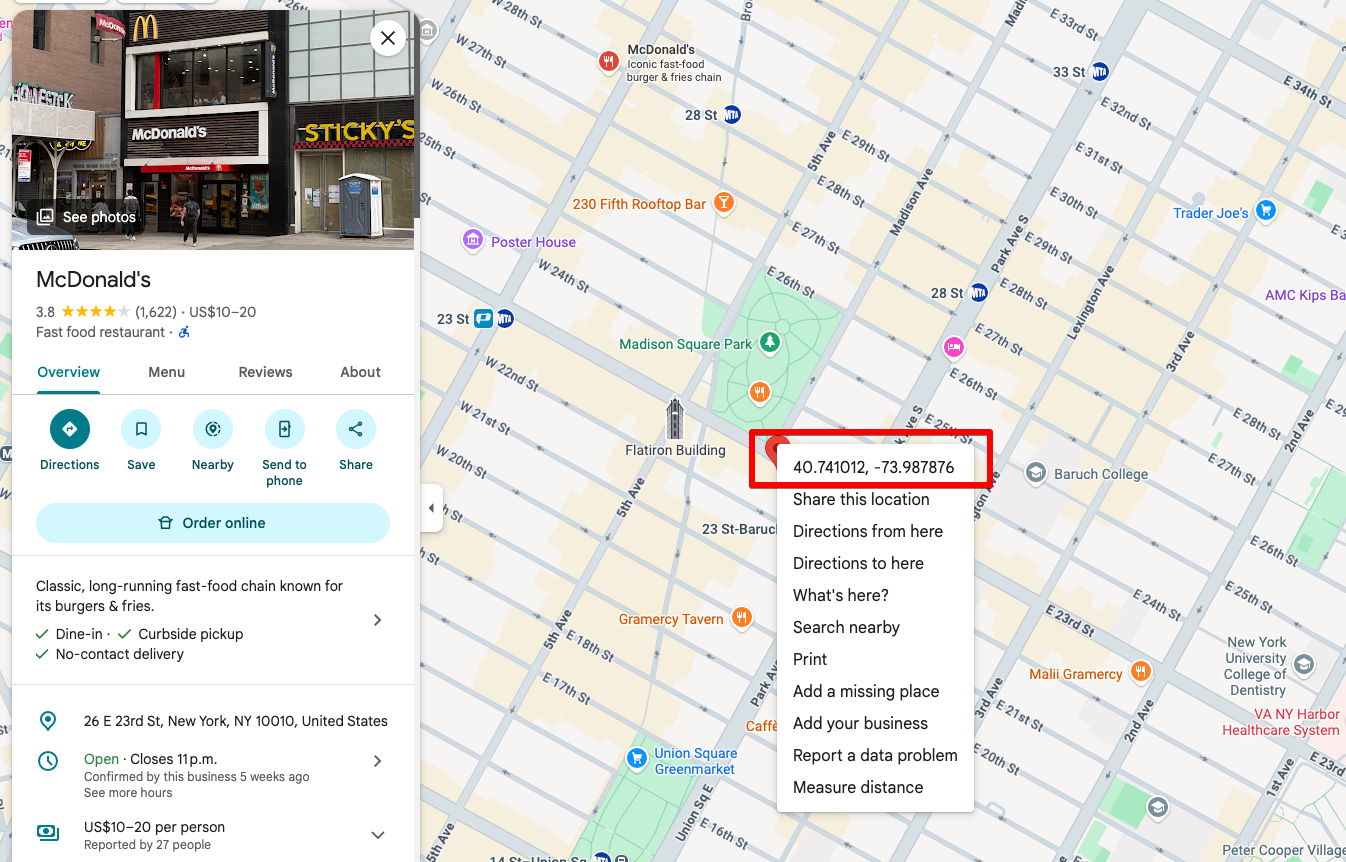
4. Add your coordinates, message and hit save!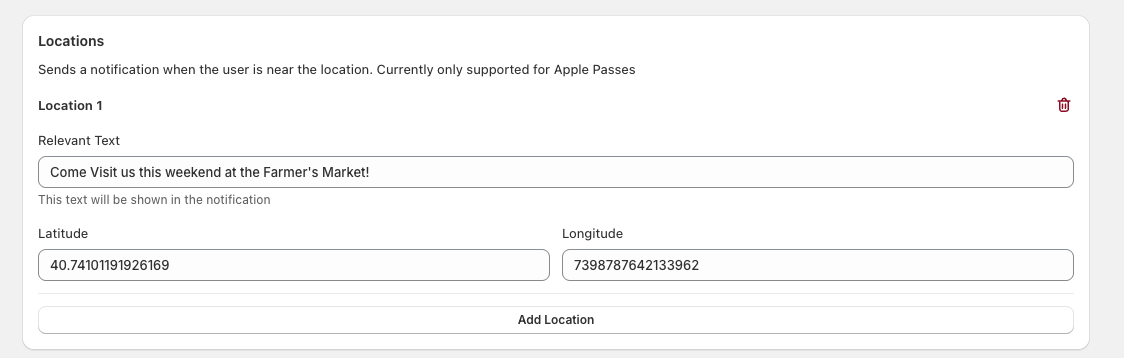
Common questions and limitations:
This feature only works for Apple Wallet Pass currently, not available for Google Passes.
There is no clear distance but the notification appears within 1km/ 1mile radius.
Make sure location services is enabled on your Iphone for the wallet app.
After you save the setting, the wallet pass will be updated for your customers. No need for customers to re-download their pass.
There is a limit of 10 locations currently.
How to set-up Geo-location Apple Wallet Pass Notifications
This article explains how to setup a proximity notification for your wallet pass and customize a unique message per location.
Written by
Updated 1 month ago
