If your business has a simple redemption method, where you want to highlight how many rewards of a certain type a customer has available, this would be a great option.
For example: Every 150 points = $10 coupon.
Here’s how to set it up:
In the wallet pass settings you would want to select Stamp type as Balance.
Afterwards you can specify which loyalty points you want to use, and how much each stamp is worth in terms of points. Again in this example, it’s 150 points.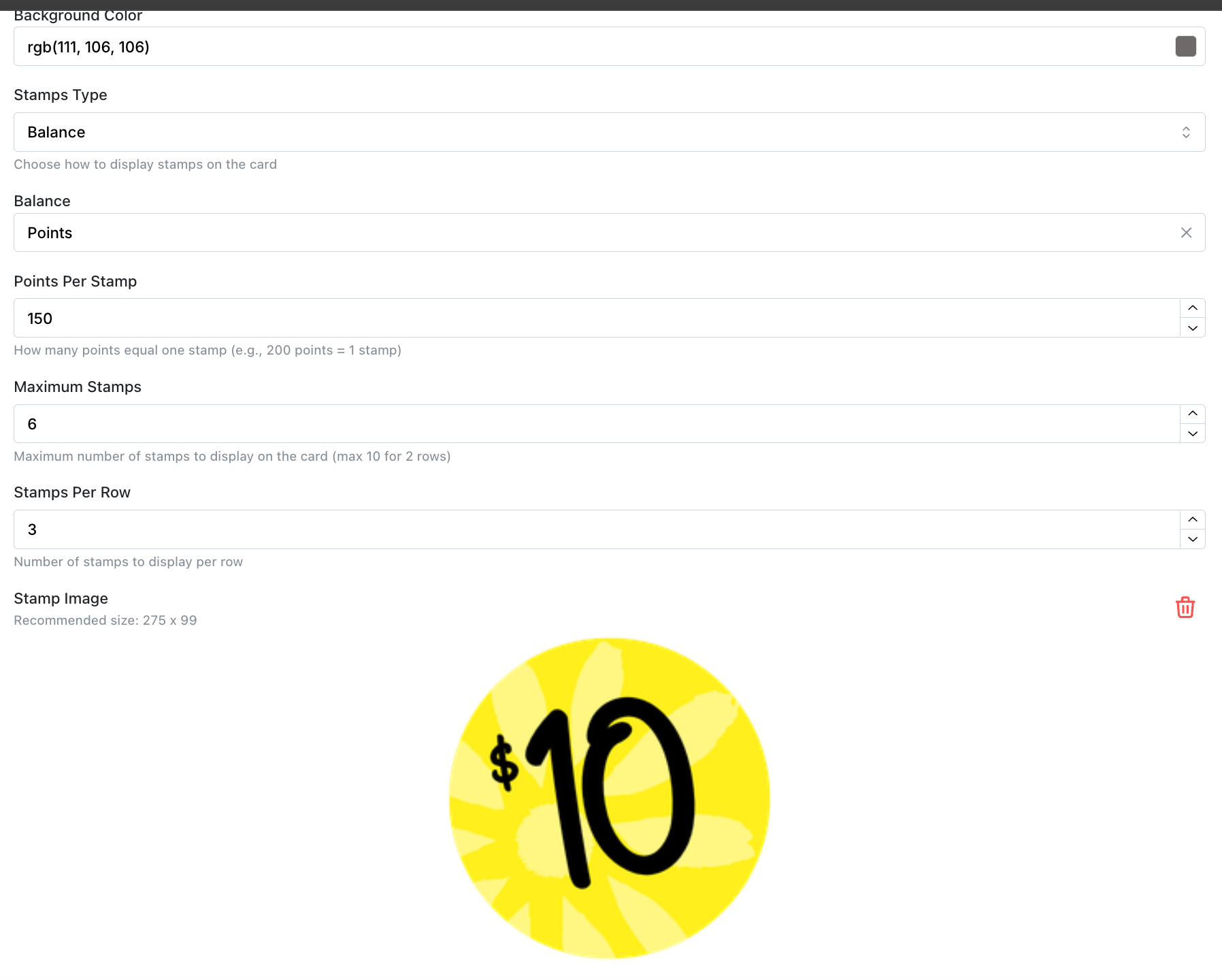
Lastly, set how many stamps you would want to display on the card, and how many rows. There is a maximum limit of 10 stamps per row. After uploading your stamp image, the finish product would look something like this.
Recommended Stamp image size: 275 x 99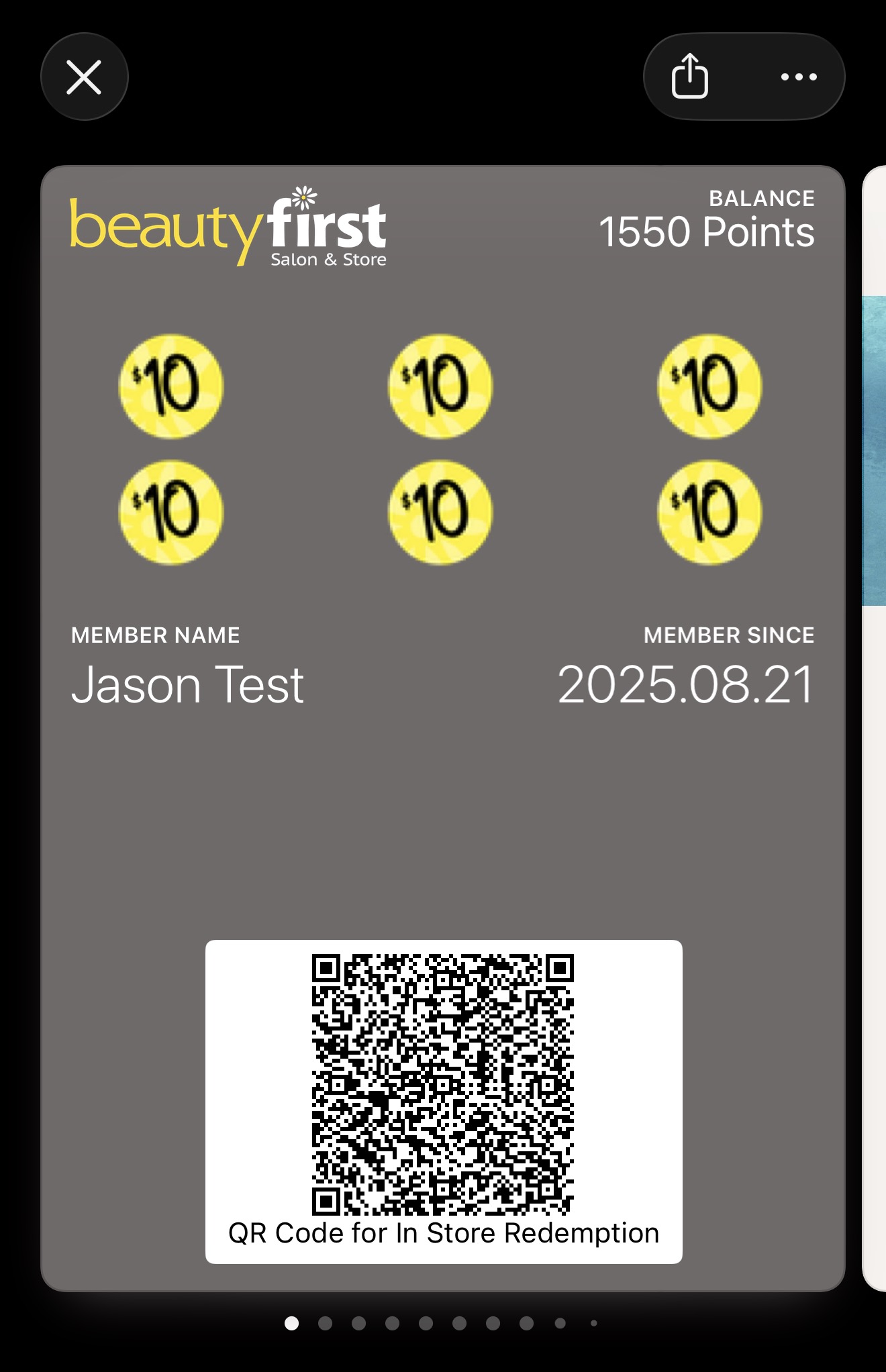
How to create a punch card style wallet pass
This article explains how to set-up a punch card style Apple/Google wallet pass.
Written by
Updated 7 months ago
